Secure Your Tax Affairs – Protect Your eFiling Profile. Protect Your Future.
Beveilig jou belastingsake
Last reviewed: 08/07/2026
Luister na die Afrikaanse Radio Uitsending
English Transcript of Radio Broadcast
Good morning, This is Marayna here and today I want to talk to you about security regarding your tax affairs. I am often surprised by how easily people share their eFiling login details or login credentials with others as if there is no risk involved at all.
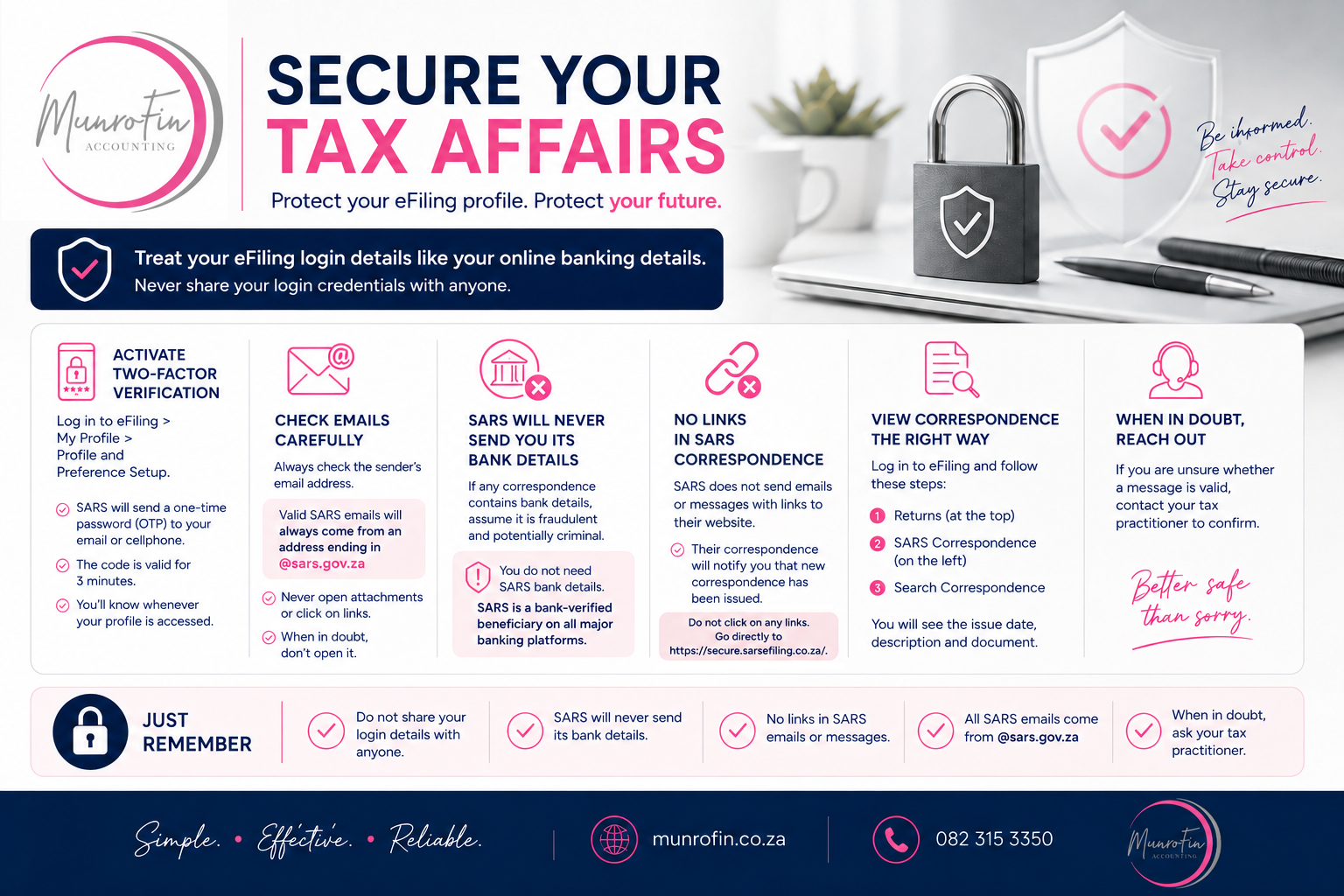
Folks, I strongly advise you to handle your eFiling login details with the same care and privacy as your online banking details. It is not something you should share with anyone. If you use a tax practitioner, that practitioner should have his or her own login details. eFiling features a two-factor verification system that I highly recommend. However, it is something that must be specifically activated. To do this, log in to your eFiling profile, go to My Profile, then Profile and Preference Setup. If you scroll down slightly, you will see the option to activate two-factor verification. This means that when someone tries to log in to eFiling using your login details, SARS will first send a one-time password or OTP to your email address or mobile phone. This code is only valid for three minutes and must be entered before access to your eFiling profile can be granted. This means you should know whenever your eFiling profile is being accessed.
It is also that time of year when you must be very careful with correspondence you purportedly receive from SARS. Criminals like to use the income tax season to try to gain unauthorized access to people’s computers, mobile phones, online banking services, and eFiling profiles. What is important is to know that any email correspondence from SARS will originate from an address ending in @sars.gov.za. Never just open a file or click on a link. First, check which email address it originated from. Again, it must come from @sars.gov.za to be valid.
SARS will also never send its bank details to you. If you receive any correspondence from so-called SARS that contains bank details, you can immediately assume that it is fraudulent correspondence and potentially part of criminal activity. Now, although I am not a cybersecurity expert, I can share with you the types of fake SARS correspondence some of my clients have already received. I strongly advise against using links in emails or messages to go to the SARS website. SARS does not send out such correspondence containing links. Their correspondence will rather indicate that new correspondence has been issued and that you must log in to eFiling to view or read it.
Now, if you have your own eFiling profile, log in, go to Returns at the top, then select SARS Correspondence on the left, and then Search Correspondence. There you will find the list of correspondence along with the issue date, description, and the document that you can open to read what SARS is asking of you.
Just briefly again: do not share your login details with others. SARS does not communicate its bank details because you do not need them. SARS is registered on all banking platforms as a bank-verified beneficiary, so you do not need its bank details. SARS also does not include links to websites in its correspondence, and all SARS correspondence emails will come from @sars.gov.za. If you are still in doubt as to whether the correspondence is valid and authentic, rather contact your tax practitioner and ask him or her to make sure that it is indeed valid and authentic.
There you go; be informed, take control of your tax affairs, and remember: although it is never pleasant to pay tax, we still have reason to be grateful. If we have to pay tax, it usually means we have earned enough income to be tax-liable, and I much prefer the challenge of a tax bill to the challenge of having no income. Until next week then, goodbye.
Need assistance with your tax or accounting matters?
Contact MunroFin for professional tax, accounting and financial services.